Zelle App Shutting Down in 2025 | What It Means for Your Money
 Jeffrey S. Allen
The Zelle app officially stopped sending and receiving money on April 1, 2025. If you use Zelle, you might feel worried or confused about what this means. The good news is that Zelle isn’t disappearing. Only the standalone Zelle app is closing.
You can still send and receive money with Zelle, but now you’ll do it through your bank’s app or credit union’s website. This change might sound big, but it’s actually quite simple once you understand it.
This guide explains why the app shut down, how it affects you, and what to do next.
Why Did Zelle Shut Down the App?
The main reason Zelle closed its standalone app is that most users weren’t using it.
Only about 2% of Zelle transactions happened in the standalone app. Nearly everyone else used Zelle through their bank’s app. Since banks already offer Zelle, it didn’t make sense to keep two versions running.
Another reason is security. When you use Zelle through your bank, the bank’s security systems protect your data and money. Fraud monitoring and account verification are stronger inside a bank’s app than in a separate one.
Zelle’s decision helps simplify its service. It also gives users more safety and makes things easier for everyone.
What This Change Means for You
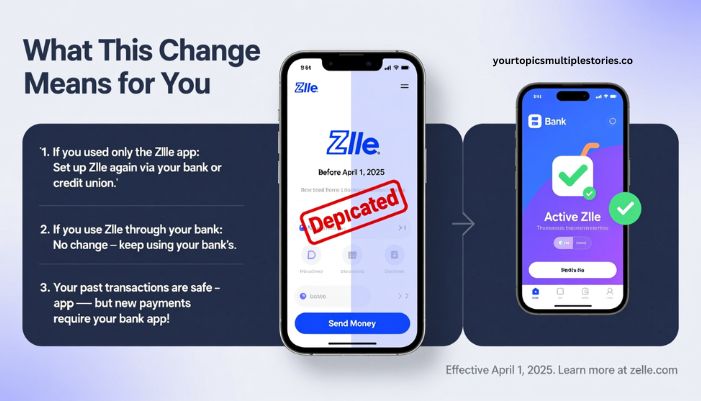
If you used the standalone Zelle app before April 1, 2025, you now need to use your bank or credit union’s app to send and receive money.
Let’s break it down clearly.
1. If You Used Only the Zelle App
You’ll need to set up Zelle again through a participating bank or credit union.
Your old app won’t send or receive payments anymore. You can still open it, but it only shows information about fraud prevention and a list of banks that support Zelle.
2. If You Use Zelle Through Your Bank
Nothing changes for you. You can continue using Zelle the same way you always have. Just open your bank’s app, tap “Send Money,” and use Zelle as before.
3. What Happens to Your Old Zelle Data
The money you sent or received before April 1 is safe. Your past transactions don’t disappear. You just can’t make new payments through the old app anymore.
How to Keep Using Zelle
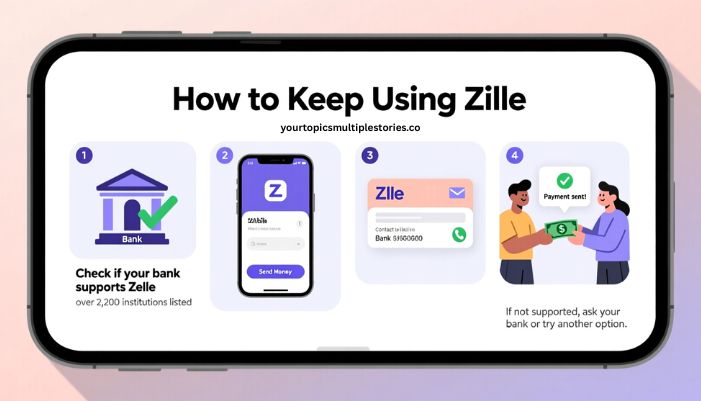
You can still use Zelle easily. Here’s how:
- Check if your bank offers Zelle.
Over 2,200 banks and credit unions support Zelle. If yours does, you’re ready to go. - Open your bank’s app or website.
Look for “Send Money,” “Transfers,” or “Pay Someone.” - Link your email or phone number.
Zelle uses your contact info to connect your bank account for quick payments. - Start sending and receiving.
Type in the person’s email or phone number, confirm their name, and send.
If your bank doesn’t support Zelle yet, you can either ask when it will join or try another payment option while you wait.
What You Should Do Right Now
Here’s a simple checklist to make sure you stay connected:
- Open your bank’s app and confirm that Zelle is active.
- Verify that your email or phone number is linked correctly.
- Enable security alerts and two-factor authentication.
- Review your transaction history to make sure everything looks right.
- Delete the old Zelle app once you’ve switched to your bank’s app.
Doing these steps ensures your payments keep working without problems.
What If Your Bank Doesn’t Offer Zelle?
If your bank doesn’t support Zelle, don’t worry. You still have options:
- Ask your bank if it plans to add Zelle soon. Many smaller banks are joining.
- Use another service like Venmo, PayPal, or Cash App. These apps also let you send money easily.
- Switch banks if you rely heavily on Zelle and want to keep using it.
Choose the option that fits your daily payment habits best.
Read: Ztec100.com: Easy Digital Health and Insurance Solutions in 2025
Benefits of Moving Zelle into Bank Apps
At first, you might not like losing a separate Zelle app, but this change has real benefits:
- Better security: Your bank’s security systems monitor all Zelle transfers.
- Fewer passwords: You don’t need to manage an extra app or login.
- All-in-one banking: You can pay bills, send money, and check balances in one place.
- Stronger fraud protection: Banks can freeze or review suspicious transfers faster than standalone apps.
This update makes Zelle easier to manage and safer to use long-term.
Risks to Watch Out For
Even though Zelle is secure, you should still be careful. Once money is sent, you can’t cancel or reverse the payment easily.
To stay safe:
- Only send money to people you know and trust.
- Double-check the recipient’s phone number or email before confirming.
- Never send money to someone claiming to be customer service or a “representative.”
- Keep your device updated and use strong passwords.
Following these tips can help you avoid common scams.
Common Questions About the Zelle Shutdown
Did Zelle Shut Down Completely?
No. Only the standalone app stopped working. Zelle continues to operate inside bank and credit union apps.
Is My Money Safe?
Yes. Any past transactions are already completed and safe. The shutdown doesn’t affect your money.
Do I Need to Pay to Use Zelle?
No. Most banks let you use Zelle for free. However, some banks may charge small fees, so check your bank’s terms.
How Do I Know If My Bank Supports Zelle?
You can visit Zelle’s official website or ask your bank. Most large US banks already have it.
Can I Still Use My Old Zelle App?
You can open it, but it won’t process payments. It only shows information about how to use Zelle through your bank.
What Are Some Alternatives to Zelle?
You can use Venmo, PayPal, or Cash App. Each has different limits, fees, and features, so compare before switching.
Final Thoughts
Zelle isn’t going away. It’s simply moving inside your bank’s app to make things safer and simpler. The standalone app served a purpose when Zelle was new, but today, most people already send money through their banks.
All you need to do is open your bank’s app, make sure Zelle is active, and continue sending money as usual.

